

The Silent Trap of "Easy" Software Connections
Have you ever stared at your screen, watching your inbox explode with 500 error emails just because of a "simple" software connection? I have been there, and it is a total nightmare. Setting up background tasks should give you your weekends back, not steal your sanity. Today, I am showing you exactly how I build these systems safely so you never break your live data or send the wrong email to a client again.

This exact nightmare happens to thousands of beginners every single day.
You watch a quick video, you sign up for a shiny new tool, and you feel incredibly empowered.
Your mental peace completely vanishes, replaced by a constant, nagging anxiety that something is breaking in the background while you sleep.
It feels deeply frustrating when technology is supposed to give you your time back, but instead, it steals your weekends.
Small business owners and freelancers often lose sleep worrying if their client data is going to the right place.
They manually check their systems a dozen times a day, entirely defeating the purpose of setting the whole thing up in the first place.
I have seen people completely abandon their tools out of pure frustration, going back to copy-pasting data just to feel safe again.
But you do not have to live with this constant fear of technology breaking down.
There is a logical, stress-free way to connect your systems without pulling your hair out.
What You Will Learn Today (The Short Version):
- Stop the Loops: How to use empty tags so your apps do not run the same task 1,000 times by accident.
- The Paper Rule: Why you should always sketch your idea on paper before clicking a single button.
- Sandbox Safety: My easy trick for testing your setup without accidentally emailing your actual customers.
- Hub-and-Spoke Setup: A smart way to connect your tools so a single crash does not take down your whole business.
Mapping Your Journey Before Clicking Build
Most people open a new software tool and immediately start selecting triggers and actions.
This is exactly like trying to build a house by just nailing pieces of wood together without a blueprint.
You will eventually create a structure, but it will probably collapse during the first storm.
To build a reliable system, you must step away from the keyboard and grab a piece of paper.
My Personal 3-Step Setup Checklist:
| Step | Action | Why I do it |
| 1. Trigger Check | Write down exactly what starts the process. | Stops random actions from firing by accident. |
| 2. Delay Buffer | Add a 3-minute wait timer. | Gives the first app enough time to fully send data. |
| 3. Dead End | Plan a tag to tell the system where to stop. | Prevents infinite loops and huge billing traps. |
The Power of Visual Drafting
Drawing out your steps on paper helps your brain process the actual journey of your data.
When you write down "Form is submitted -> Send an email -> Update spreadsheet," you start to see the gaps.
What happens if the email address is typed incorrectly?
What happens if the form is submitted twice by the same person?
Mapping out these scenarios visually reduces cognitive load and helps you spot logical flaws before they happen.

Scientific studies on task management show that breaking complex logic down into visual components significantly reduces human error.
By seeing the flow visually, you stop guessing and start building with absolute confidence.
You can use a physical whiteboard, a sticky note on your desk, or even a simple digital drawing tool.
The tool does not matter at all; the act of slowing down your thinking is what saves you.
Identifying the Missing Links
When I first started connecting apps, I always forgot to account for delays.
If a customer bought a product, I wanted to send them a thank you message instantly.
But sometimes, the payment processor takes five minutes to confirm the payment.
My system would fire off instantly, find no payment confirmation, and shut down completely.
By mapping the journey first, you can literally draw a pause button in your diagram.
Adding a simple five-minute delay step creates a buffer that allows the software to catch up safely.
These tiny, almost invisible details are exactly what separates a broken system from a smooth, reliable one.
Do you want to see exactly how the experts build foolproof logic? Watch this brilliant breakdown before you touch another tool!
Stopping the Dreaded Infinite Loop
An infinite loop is the absolute worst enemy of any beginner building automatic tasks.
This happens when step A triggers step B, and step B accidentally triggers step A again.
Within minutes, your software runs thousands of tasks, maxing out your account limits and shutting everything down.
This usually happens when people try to create two-way syncs between databases without proper filters.
How Loops Drain Your Wallet
Most platforms charge you based on the number of tasks or actions you complete each month.
An infinite loop will burn through your entire monthly allowance while you are grabbing a cup of coffee.
I once saw a colleague accidentally connect their calendar to their task manager in a loop.
Every time a task was created, an event was booked, which created another task, which booked another event.
By the time he returned to his desk, he had 4,000 identical events booked for the exact same Tuesday.
He had to spend three painful hours manually deleting every single entry just to clean up the mess.
Here is exactly how I avoid this frustrating trap now.
I always set up my filters so carefully that a task can only trigger once.
My secret is creating a specific "status tag" in my spreadsheet, and my system only runs if that tag is currently empty.
Setting Boundaries for Your Data
To keep your systems safe, you must set strict rules for when an action is allowed to run.
Always use conditional logic to tell your software exactly when to stop working.
For example, tell your system, "Only send this message IF the customer tag says 'New.'"
Once the message is sent, make sure your final step changes that tag to 'Old' or 'Contacted.'
This creates a solid dead end for your data.
When the system tries to run again, it sees the 'Old' tag and safely stops in its tracks.
It is incredibly satisfying to watch your system safely block a duplicate entry all by itself.
The Danger of Live Testing
Another massive mistake beginners make is testing their new setups with real client data.
Imagine sending a test invoice for $10,000 to an actual customer just to see if your PDF generator works.
This destroys trust instantly and makes you look incredibly unprofessional.
You must always use fake, controlled data when you are building something new.
Creating a Safe Sandbox Environment
A sandbox is simply a safe place where you can break things without any real-world consequences.
Create a completely separate folder or spreadsheet just for testing your ideas.
Use your own personal email addresses to receive test messages.
Create a fake customer named "John Testman" with a random phone number.
Run your logic using John Testman's profile ten or twenty times until you are completely sure it works.
Only after the system has run perfectly multiple times should you connect it to your live, active database.
My Favorite Testing Trick: You do not need to create 10 fake email accounts to test safely. If you use Gmail, just add a plus sign and a random word before the @ symbol. For example, yourname+test1@gmail.com and yourname+test2@gmail.com will all go straight to your main inbox. This lets you test a form 50 times using "different" emails without ever bothering your real clients!
Understanding Dummy Data
Sometimes, when you are building, the software asks you for sample data to map your fields.
If your live form has not been submitted yet, the system will not know what to look for.
Do not try to guess what the data will look like.
Go to your live form, fill it out yourself with fake information, and hit submit.
Now your system has a real, tangible piece of dummy data to hold onto.
You can map the fake first name to the email greeting and the fake phone number to your SMS tool.
This completely removes the guesswork and ensures everything lines up perfectly.
Why Complex Systems Break Faster
When people discover the magic of connecting apps, they often get overly ambitious.
They want to build a massive, 20-step monster system that handles every single part of their business at once.
This is an incredibly dangerous mindset for a beginner to have.
Complex systems have more moving parts, which means there are twenty different places where things can crash.
When a massive system breaks, finding the exact point of failure is like searching for a needle in a haystack.
The Beauty of Modular Building
Instead of building one giant machine, build five small, independent ones.
If you want to onboard a client, create one simple rule that just handles the welcome email.
Test it, watch it run for a week, and celebrate that small win.
Then, create a completely separate rule that adds them to your project management tool.
If the project management connection breaks, your welcome emails will still continue to send perfectly.
This modular approach keeps your business running smoothly even when small technical hiccups happen.
Myth vs. Reality in Software Logic
Myth: The more complex your logic, the more professional your business is.
Reality: The most successful businesses run on incredibly boring, simple, and predictable systems.
Myth: You need to automate everything on day one.
Reality: You only need to fix the one repetitive task that drains the most energy from your day.
By keeping things ridiculously simple, you maintain total control over your digital environment.
You will actually understand how your own business works behind the scenes.
If something fails, you will know exactly which small piece needs to be repaired.
Dealing with Error Notifications Properly
No matter how perfectly you build your systems, external platforms will occasionally have bad days.
Sometimes an API goes down for maintenance, or a server crashes on the other side of the world.
When this happens, your system will pause and send you an error notification.
Most people panic when they see a red error badge, but this is actually a good thing.
The software is simply raising its hand to tell you it needs a little help.
Setting Up Alerts You Actually Read
If you send every single error notification to your main email inbox, you will quickly learn to ignore them.
It becomes background noise, and you might miss a genuinely important failure.
Instead, create a dedicated channel in your communication app just for system alerts.
Or, set up a specific folder in your email that collects these warnings.
Check this folder once a day with a calm, clear mind.
Read the error message carefully; they usually tell you exactly what went wrong in plain language.
"Timeout error" simply means the other app took too long to answer.
"Invalid email format" means a customer probably put a comma instead of a dot in their address.
The Importance of Human Oversight
Automation is designed to assist humans, not to completely replace them.
You still need to check the pulse of your daily operations.
Set a recurring calendar reminder every Friday afternoon to quickly audit your active systems.
Look at the task history to ensure things are moving cleanly from left to right.
Spot-check a few recent entries to make sure the data looks correct.
This five-minute weekly checkup acts as an insurance policy for your peace of mind.
It prevents small, unnoticed glitches from turning into massive data disasters over the weekend.
Building a hands-free digital environment is an incredibly rewarding journey if you approach it with patience.
By avoiding these beginner traps, you protect your data, your clients, and your sanity.
You stop acting like a frustrated mechanic and start acting like the confident architect of your own business.
Start small, map things out clearly, and always test before you trust.
When you follow these deeply practical steps, you will finally experience the true freedom that technology promises.
Secrets to Building Long-Term Software Harmony
Once you get your first few connections working smoothly, it is incredibly tempting to just close your laptop and celebrate.
You see the data flowing from your website to your spreadsheet, and it feels like pure magic.
But setting up the connection is only the very first chapter of your digital journey.
To keep your systems running perfectly for months without constant babysitting, you need to adopt the mindset of a digital manager.
This means organizing your workspace so that anyone, even a completely new team member, can understand exactly what is happening behind the scenes.
I want to share some incredibly powerful habits that completely changed how I manage my own daily tasks.
These are not complicated technical skills that require a computer science degree.
Instead, they are simple organizational habits that separate messy, stressful workspaces from calm, highly efficient ones.
If you apply these principles today, you will thank yourself six months from now when you need to update a tiny detail.
The Magic of Clear Naming Conventions
When you first open a new tool, the software usually gives your project a default name like "Untitled Workflow 1."
If you leave it like that, you are setting a massive trap for your future self.
Imagine opening your dashboard a year from now and seeing twenty projects named "Test 1," "Zap 2," and "Copy of Workflow."
You will have absolutely no idea which one sends your customer invoices and which one updates your team calendar.
This creates massive cognitive load and mental fatigue every time you need to fix a simple bug.
Instead, use a strictly standardized naming format for every single thing you build.
My personal favorite format is exactly this: [Trigger Application] -> [Action Application]: [Specific Task Description].
So, instead of naming it "New Customer Thing," you would name it "Stripe -> Google Sheets: Log New Course Purchase."
By doing this, you instantly know exactly what tools are involved and exactly what the logic is supposed to achieve.
This tiny five-second habit completely removes the guesswork and keeps your digital workspace incredibly clean.
Creating a Master Blueprint
Human memory is surprisingly terrible at remembering digital logic after a few weeks have passed.
You might think you will remember exactly why you added a specific three-minute delay, but I promise you will forget.
This is why you must document your setups in a simple master file.
You can use a basic Google Doc, a Notion page, or even a physical notebook on your desk.
Just like you would focus on planning for unexpected situations in your personal life, you must prepare for unexpected software updates.
Whenever you build a new automated rule, write down exactly three things in your master document.
First, write down the ultimate goal of the setup.
Second, list every single application that is involved in the chain.
Third, write down a plain-English translation of the rules you created.
For example: "When someone buys a shirt, wait 10 minutes, check if they are a VIP, then send a welcome email."
If the software ever completely crashes and deletes your work, this document becomes your absolute lifesaver.
You can simply open your notebook and rebuild the exact same logic in minutes because you have the complete recipe written down.
The Art of the Safe Edit
Let us say your business is growing, and you want to add a new text message step to your existing onboarding sequence.
The biggest temptation is to simply open the live, active workflow and start messing around with the settings.
Please, never edit a live system that is actively handling your real customer data.
If you make a mistake while saving, or if the browser refreshes unexpectedly, you might corrupt the entire active process.
According to massive tech management studies, making live edits is a primary cause of creating permanent hidden technical debt in small businesses.
Instead, you should always click the "Duplicate" or "Copy" button first.
Turn off the copy, rename it "Draft Edit," and make all of your bold changes inside that safe, isolated copy.
Run your dummy tests on the draft version to ensure your new text message step fires perfectly.
Once you are completely satisfied with the test results, you can turn off the old version and turn the new one on.
This professional strategy ensures your business never experiences a single second of awkward downtime while you are tinkering.
Hidden Traps That Will Break Your Business Logic
Even if you understand the basics perfectly, there are specific traps that catch almost every single beginner off guard.
These mistakes do not just cause minor annoyances; they can seriously damage your professional reputation.
When your software sends the wrong name to a high-paying client, it instantly shatters their trust in your brand.
I have watched incredibly smart people tear their setups apart in sheer panic because they ignored these subtle dangers.
Let us walk through exactly what these traps look like so you can step right over them safely.
The "Spaghetti Integration" Disaster
When beginners discover the joy of automated tasks, they often try to connect everything into one massive, endless chain.
They connect their website to their email, which triggers their calendar, which sends a Slack message, which updates a database.
This is known in the industry as a "spaghetti setup" because the logic is tangled, messy, and impossible to trace.
If your calendar software suddenly changes its settings, the entire chain completely breaks down instantly.
You are left scrambling, trying to find the exact point of failure while the rest of your business grinds to a halt.
You must learn to spot the warning signs your system is failing before it becomes a tangled mess.
The best way to avoid the spaghetti trap is to build completely independent, short pathways.
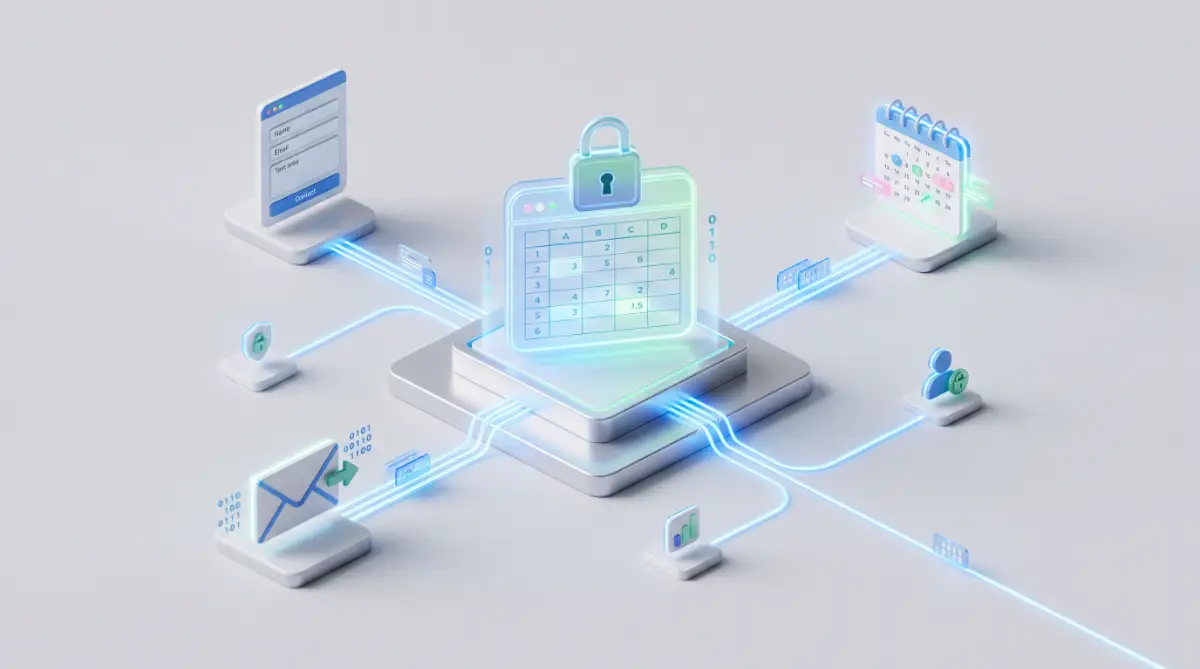
Instead of making one app trigger the next app in a line, make your central database the main hub.
Your website sends data to your spreadsheet.
Then, completely separate from that, your spreadsheet sends a signal to your email tool.
If your email tool crashes, the website is still successfully sending data to your spreadsheet safely.
This hub-and-spoke method acts like a safety net, isolating errors so they cannot destroy your whole operation.
The Silent API Limit Drain
Every single platform has a specific limit on how many tasks you can run per month on their basic plans.
Most beginners completely ignore this detail until their system suddenly stops working in the middle of a busy Tuesday.
If you set up a process that checks for new emails every single minute, you will burn through 43,000 tasks in a single month.
You will wake up to an aggressive email demanding you upgrade to a premium $100-a-month plan immediately.
Poorly planned logic is one of those invisible habits draining your bank account without you even realizing it.
To protect your wallet, you must understand the difference between "instant" triggers and "polling" triggers.
Instant triggers only run when something actually happens, like a customer clicking a button.
Polling triggers, on the other hand, constantly knock on the door every five minutes asking, "Is there anything new?"
Whenever possible, try to use tools that offer instant webhooks instead of constant polling.
Also, regularly check your task usage dashboard just like you check your bank statement.
If you notice a sudden, massive spike in tasks, you likely have a logic loop that needs to be shut down immediately.
If you explore detailed platform pricing guides, you will quickly learn how to optimize your monthly usage to stay on cheaper plans.
Blindly Trusting Pre-Made Templates
Every platform offers a massive library of "One-Click Templates," promising to instantly fix your problems.
They look incredibly professional, and clicking a single button feels so much easier than building from scratch.
However, falling for the psychology of borrowing someone else's system can be incredibly dangerous.
These templates were built by strangers for businesses that operate completely differently than yours.
The template might include a step that permanently deletes old contacts, which might be completely disastrous for your specific workflow.
Never install a pre-made template and immediately connect it to your live customer data.
If you want to use a template, install it strictly as an educational reference in a safe, disconnected folder.
Open it up, study exactly how they formatted their filters, and learn from their structure.
Then, use those lessons to build your own custom setup completely from scratch.
Building it yourself guarantees that you understand every single turning point in the data flow.
When something eventually needs a quick fix, you will know exactly where to look because you are the original architect.
Your Blueprint for a Stress-Free Digital Life
Navigating the world of connected software can feel incredibly overwhelming when you are just starting out.
But you do not need to be a coding genius to make these powerful tools work beautifully for you.
By simply slowing down and sketching your ideas on a whiteboard, you instantly put yourself ahead of the majority.
When you test your ideas with fake, funny names instead of real client data, you protect your professional image perfectly.
And by naming your projects clearly, you are giving a massive gift to your future self.
These small, intentional habits stack up to create a massive safety net for your daily operations.
Think of these strategies as building a secure safety net for your digital workspace.
When your foundational logic is built securely, you stop worrying about technology breaking behind your back.
You actually get to enjoy the free time that these modern tools were originally designed to give you.
Instead of constantly checking for red error badges, you can focus on scaling your business successfully and doing the creative work you actually love.
Every single time your system perfectly sorts a new client into the right folder, you will feel a deep sense of pride.
Take a deep breath, grab a simple notebook, and start mapping out your very first secure connection today.
I completely ruined my entire email list the first time I tried to connect two apps without a plan. I spent three full days manually apologizing to clients, and I promised myself I would never let technology control my peace of mind again. Now, by strictly following these exact mapping rules, my systems run flawlessly while I sleep, and I finally have my weekends back!
Questions Beginners Always Ask About App Integrations
Do I need to know how to code to use these tools?
Absolutely not. These platforms are completely designed with a visual, drag-and-drop interface for everyday users. If you know how to send an email and use a basic spreadsheet, you have all the technical skills needed to build powerful connections.
Why did my automated task suddenly stop working today?
The most common reason is that one of the connected applications updated its security settings or passwords. Simply go into your dashboard, reconnect your account to refresh the permission token, and retest the step. Also, always check if you accidentally hit your monthly task limit!
Is it safe to pass sensitive customer data between apps?
Yes, the major, highly rated platforms use bank-level encryption to transfer your data securely. However, you should always read the privacy policies of the specific tools you are connecting. If you handle highly sensitive medical or financial data, look for platforms that are officially certified for strict compliance.
What should I do if the tool I use is not on the platform?
If you cannot find your specific software in the visual menu, check if they offer "Webhooks." A webhook is a universal way for modern apps to catch and throw data across the internet. It sounds slightly technical, but it is just a simple custom URL you copy and paste to link them together naturally.
How often should I check my background systems?
When you first launch a new setup, you should spot-check the history log once a day for the first week. Once you see it is running smoothly without errors, you can safely scale back to a quick five-minute review every Friday afternoon.
Disclaimer: The information provided in this blog post is strictly for educational and informational purposes only and does not constitute professional IT, software, or business advice. Platform features, pricing, and capabilities change frequently, so always verify current information directly with the software providers before making any purchasing decisions. We are not responsible for any data loss, account suspensions, or financial damages resulting from the implementation of these general strategies. Always thoroughly test new systems in a safe environment before applying them to your live business operations.
![The Secret To Preventing Unconscious Data Bias [Step-by-Step Blueprint]](https://fintiq24.com/storage/uploads/blogs/1787735139_the-secret-to-preventing-unconscious-data-bias-step-by-step-blueprint.webp)
![The Secret Email Management Blueprint [Step-by-Step]](https://fintiq24.com/storage/uploads/blogs/1787691875_the-secret-email-management-blueprint-step-by-step.webp)