Drowning in Unread Messages: The Silent Productivity Killer
Quick Inbox Mastery Takeaways
- Stop checking your email all day long—batch process it just twice a day instead.
- Use smart auto-routing rules to silently hide receipts and promo newsletters.
- Set up pre-written text templates for the questions you find yourself answering every week.
- Turn off those stressful red notification badges on your phone right now.
Let’s be real—your inbox is probably a nightmare right now. You open it, see hundreds of unread messages, and instantly want to close the tab. I used to waste hours playing whack-a-mole with emails, but I finally cracked a system that put my inbox on autopilot. If you are tired of email running your day, grab a cup of coffee and let me show you exactly how to fix it.
I was spending hours every single day just sorting, archiving, and typing out the exact same replies to different people. It felt like I was trapped on a never-ending digital hamster wheel. I would clean out fifty messages, only to see twenty more pop up right in front of my eyes just a few minutes later.
My actual job and creative tasks were completely pushed to the side. I was basically acting as a full-time administrative assistant for my own life, and it was deeply draining my mental energy. If you are reading this right now, you probably know exactly what this heavy, sinking feeling is like.
You likely dread opening your smartphone or mail app because of the sheer volume of noise waiting for you. This daily struggle slowly chips away at your peace of mind and steals your most productive morning hours. The constant pinging notifications create a low-level anxiety that never really goes away.

We just accept a messy, overflowing inbox as a normal part of being a working professional today. But living in a constant state of reaction is a terrible way to manage your time and your career. The good news is that you do not have to live like this anymore.
By setting up a few smart systems, you can force your technology to do the heavy lifting for you. You can literally train your software to read, sort, and handle the repetitive junk while you focus on what actually matters. Let us explore exactly how you can build this stress-free system from scratch today.
The Science Behind Digital Clutter and Mental Fatigue
Before we jump into the exact strategies, we need to understand why an unorganized inbox hurts us so much. Psychologists talk about something called the Zeigarnik effect, which explains how our brains react to unfinished tasks. When you leave an email sitting in your primary view without making a decision on it, your brain registers it as an incomplete task.
Having hundreds of these incomplete tasks sitting in front of you creates a massive cognitive load. Your subconscious mind is constantly trying to remind you about those unread messages, which destroys your focus. This is exactly why you feel exhausted even if you have been sitting at a desk all day doing nothing physical.
The Foundation of Smart Inbox Architecture
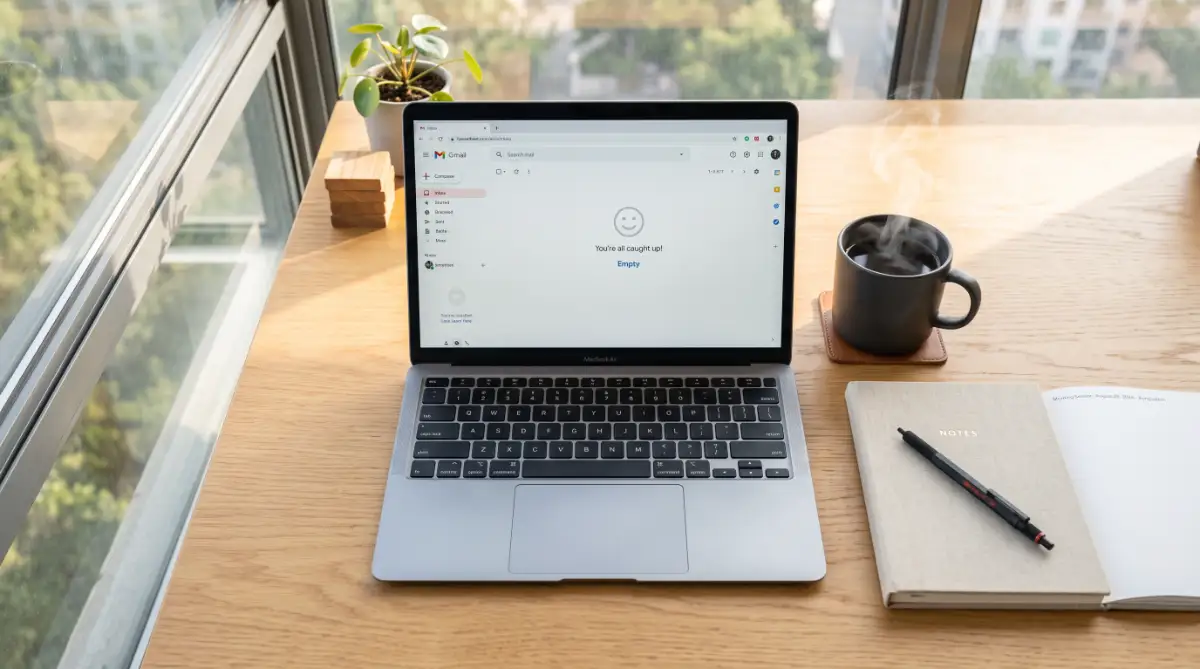
Think of your inbox exactly like the physical mailbox outside your front door. You would never leave junk mail, utility bills, and personal letters piled up inside that metal box for months. You bring the mail inside, throw away the trash, file the bills, and read the personal letters.
Your digital communication requires the exact same logical sorting process to function properly. The secret to putting this on autopilot is creating a set of rules that act as a digital bouncer for your attention. These automated rules will decide who gets to see you immediately and who has to wait in line.
Building Your Core Auto-Routing System
The absolute first step to taking back your time is setting up automatic routing for your incoming messages. Almost every modern email provider allows you to create specific rules based on the sender, the subject line, or specific keywords. Instead of manually dragging messages into folders, you tell the system to do it the second a message arrives.
For example, you can set a rule that says any message containing the word "invoice" or "receipt" automatically bypasses your main view. These financial messages can go straight into a folder named "Accounting Records" without you ever seeing a notification. Just this one simple tweak can remove a massive amount of visual clutter from your daily life.
My Personal Rule for Newsletters:
I set up a fast filter that searches for the word "unsubscribe" in the email body. Any message with that exact word automatically skips my main inbox and jumps straight into a "Read Later" folder. This single trick instantly kills about 60% of my daily inbox noise!
Setting Up Your First Automated Filter
Setting up your first smart filter can seem a bit intimidating, but watching someone do it live makes it incredibly easy to understand. Check out this quick and simple walkthrough below to see exactly how you can set up basic rules in under three minutes.
Another incredibly powerful routing rule involves handling team updates and project management notifications. If you use tools like Asana, Trello, or Jira, your inbox is likely flooded with update alerts every time someone leaves a comment. You can easily create a rule that catches any message from these domains and sends them directly to a "Project Updates" folder.
You can then schedule a specific time, perhaps ten minutes at the end of your day, to review that specific folder. This completely stops those random notifications from breaking your deep concentration during important work hours. You are still staying updated, but you are doing it on your own schedule instead of reacting instantly.
My Personal Realization: I used to think making highly complex, multi-step rules was the best way to manage everything. I quickly realized that keeping my filters incredibly simple—focusing only on sender addresses and basic keywords—prevented my important messages from getting lost in the void. Keep it basic when you first start, and you will see immediate relief.
The Power of Automated Canned Responses
Once you have stopped the irrelevant noise from hitting your main screen, it is time to look at your outgoing replies. If you pay close attention to your daily typing habits, you will notice something very interesting. You are probably typing the exact same five or six responses over and over again throughout the week.
Whether it is answering a common client question, sending over a pricing sheet, or declining a meeting request, the words rarely change. Typing these out manually every single time is a massive waste of your professional energy. Setting up canned responses, or email templates, is a complete game changer for your daily output.
You can write out the perfect, polite response one time, save it in your settings, and insert it with a single click. When a client asks for your standard onboarding process, you simply select your "Onboarding Template" and hit send. What used to take five minutes of typing and proofreading now takes about three seconds.
Myth vs. Reality in Email Automation
Many people hesitate to use automated tools because they believe some common myths about technology. Let us clear up a few of these misunderstandings so you can move forward with confidence.
Myth: Automated replies always sound robotic, cold, and unprofessional to the person reading them.
Reality: You are the one writing the templates! If you write them in a warm, friendly, and natural tone, the recipient will never know you used a shortcut.
Myth: Setting up filters will cause me to miss highly urgent messages from my boss or top clients.
Reality: You can specifically design VIP filters that highlight and prioritize messages from key people, ensuring you actually see them faster than before.
Implementing AI for Advanced Categorization
If you want to take things a step beyond basic rules, modern artificial intelligence offers incredible tools for your inbox. Many add-on software programs can now read the context of an incoming message and categorize it automatically. The AI acts like an incredibly smart executive assistant who reads your mail before you arrive at the office.
These tools can identify which messages contain action items, which are just general information, and which are completely useless. They can even summarize long, rambling messages into three simple bullet points so you can read them faster. This means you spend your time taking action rather than just trying to figure out what the sender actually wants.
For instance, if a vendor sends a ten-paragraph message explaining a software update, the AI can summarize it instantly. It will simply tell you, "The software will be down on Tuesday for two hours." You just saved ten minutes of reading time, which adds up dramatically over the course of a busy month.
Managing the Newsletter Avalanche
Newsletters and promotional offers are the biggest culprits when it comes to a messy digital workspace. We all subscribe to interesting blogs, industry updates, and retail stores with the best of intentions. However, these quickly pile up and drown out the messages from real human beings that actually require your attention.
The standard advice is to just unsubscribe from everything, but that is not always realistic or helpful. Sometimes you actually want to read those industry insights, just not at nine in the morning on a busy Tuesday. The smart solution is to automate a specific reading environment just for your subscriptions.
You can set up a filter that catches the word "unsubscribe" in the body of an incoming message. This one rule will catch almost every single newsletter and marketing blast sent to your address. You can direct all of these into a "Weekend Reading" folder, keeping your primary view strictly for real human conversations.
Manual Sorting vs. Automated Systems
To really understand the difference this makes, let us look at how the two different approaches compare in daily life.
Looking at this comparison, it is very clear why successful people do not handle their communications manually. They treat their time as their most valuable asset, and they refuse to waste it on things a computer can do. Transitioning to an automated system is an investment of a few hours that pays massive dividends for the rest of your career.
The Concept of Batch Processing Your Inbox
Even with the best automated rules and templates in place, you still have to read and respond to important people. The biggest mistake you can make at this stage is leaving your email tab open all day long. Getting an instant notification on your screen every time someone hits send is a guaranteed way to destroy your workflow.
Instead, you need to adopt a strategy known as batch processing. This means you treat checking your messages as a specific appointment on your daily calendar, rather than a continuous activity. You might decide to only open your application at 9:00 AM, 1:00 PM, and 4:30 PM.
During those specific blocks of time, you go in, handle the required actions, and then close the application completely. This single habit, combined with your new automated routing rules, will completely change your professional life. You will suddenly find yourself with long, uninterrupted blocks of deep focus to work on high-value projects.
By refusing to be constantly available, you actually train your clients and coworkers to respect your time more. They learn that you will get back to them at predictable times, and they stop expecting instant replies to non-urgent issues. This boundary setting is a massive part of maintaining long-term mental health in any professional setting.
Mastering the Advanced Playbook: Pro-Level Inbox Strategies
Once you have your basic sorting rules running quietly in the background, you will immediately notice a massive drop in your daily stress levels. But to truly master your digital workspace, we need to go beyond just moving messages into different folders. The most highly productive professionals use a few advanced tricks to make their systems completely bulletproof.
One of my favorite advanced techniques is using email alias addresses for different parts of my professional life. Most modern providers allow you to add a simple plus sign and a word to your standard address. If you sign up for a software trial, you can use yourname+software@domain.com.
When that company inevitably starts sending you daily marketing blasts, you already know exactly how they got your information. You can instantly create a single rule that automatically deletes anything sent to that specific alias. This completely protects your main address from being sold or spammed by third-party marketers.
Another incredible strategy is integrating your inbox directly with your dedicated task management software. Many people make the terrible mistake of treating their unread messages as a daily to-do list. The problem is that your inbox is basically a to-do list created by completely random people, not by you.
Using simple connection tools, you can forward an important message straight to apps like Todoist, Trello, or Asana. You simply label the message as an action item, and the software automatically creates a task on your daily calendar. This clears the visual clutter from your screen while ensuring you never forget to complete the actual work.
If you are curious about how these connections work, you need to understand the basic traps of software automations before giving apps access to your personal data. You want to make sure your systems are talking to each other securely without breaking your daily workflow.
My Personal Pro Tip: I used to spend my entire Sunday night worrying about messages I had to send first thing on Monday morning. I finally discovered the "Schedule Send" feature, which completely changed my weekend routine. Now, I write those replies on Friday afternoon, schedule them to send quietly at 8:00 AM on Monday, and enjoy my weekend with complete mental peace.
The Science of Context Switching
We also need to talk about the hidden mental tax of leaving your application open while you try to work on other things. According to a widely cited study by researchers at the University of California, Irvine, it takes an average of twenty-three minutes to fully regain your deep focus after a simple interruption.
Every time you hear that tiny notification ping and glance away from your current project, you are destroying your momentum. Your brain has to completely shift gears to process the new information, even if you do not reply. By the time you get back to your original task, you have lost a massive amount of cognitive momentum.
This constant bouncing between tasks is exactly why you feel so mentally exhausted by three o'clock in the afternoon. To fix this, you must turn off every single desktop notification and badge icon on your computer right now. Your automated systems are doing the sorting for you, so there is absolutely no reason for your machine to interrupt you constantly.

The Hidden Traps of Automated Sorting
Setting up smart filters feels like magic at first, but many enthusiastic beginners fall into some very dangerous traps. Let us walk through a real-life scenario that happens to almost everyone who tries to automate too quickly.
Imagine you set up a strict rule that sends all messages with the word "invoice" straight to a hidden accounting folder. Two weeks later, a major client sends an angry message asking why you have not paid their overdue invoice. Because your rule was too broad, their urgent message bypassed your main view entirely and went straight to the hidden folder.
This is the classic "Black Hole" mistake, where you create so many aggressive rules that important communications simply vanish. When you blindly trust a machine without checking its logic, you risk damaging your real-world professional relationships. Just like ignoring the warning signs you don't understand smart technology, building overly complicated filters will eventually backfire.
Another massive pitfall is creating way too many specific folders for every tiny project or person in your life. I have seen people with fifty different color-coded folders neatly lined up on the left side of their screen. They think they are being highly organized, but they are actually just creating more manual labor for themselves.
Every time a message arrives, they have to sit and debate which specific micro-folder it belongs in. Then, three months later, they completely forget where they saved a specific document because the folder names overlap. A much smarter approach is to rely heavily on your provider's search bar instead of a complex filing cabinet system.
If you keep your folders broad—like Action Required, Waiting on Reply, and General Reference—you eliminate the daily sorting fatigue entirely.
Taming the Smartphone Notification Monster

One of the biggest obstacles to a peaceful digital life is sitting right there in your pocket. You can build the most beautiful, highly automated system on your work computer, but it means nothing if your phone buzzes all night long. The default settings on almost every smartphone are designed to steal your attention constantly.
Smart Smartphone Habits to Adopt Today:
- Remove the Badge Number: Go into your settings and turn off the little red number on your mail app. Seeing "1,452" every time you unlock your phone creates instant, unnecessary stress.
- Separate Work and Personal Apps: Never mix your professional and personal accounts in the exact same application. Use the default mail app for your family and a separate app specifically for business matters.
- Set Silent Hours: Use the focus modes on your device to block all work-related alerts after a certain time of day.
If you do not protect your personal time, the boundaries between your office and your living room will completely disappear. This constant connection is just as unhealthy as ignoring the hidden dangers of one paycheck in your financial life. You need diversification in how you spend your energy, which means having clear, quiet hours dedicated only to your personal life.
The "Touch It Once" Philosophy
As you get comfortable with your new setup, you need to adopt a psychological shift in how you handle incoming data. There is a very famous productivity concept called the "Touch It Once" rule, and it works flawlessly here.
When you sit down for your scheduled batch-processing session, you must make a firm decision about every message you click on. You read it, and you immediately choose to delete it, delegate it, reply to it, or schedule it for later. You are absolutely not allowed to read it, shrug your shoulders, and leave it sitting as "unread" to deal with tomorrow.
My 4-D Decision Matrix (The Secret to Touching It Once):
Leaving messages to read for a second or third time is a massive waste of your limited daily energy. If a reply takes less than two minutes to type out, do it right then and there. If it requires a long, thoughtful response, move it to your "Action Required" folder and close it completely.
Integrating AI Without Losing the Human Touch
Artificial intelligence is taking over many administrative tasks, and it can be a massive help for drafting quick replies. However, leaning too heavily on machine-generated text can seriously damage your professional reputation. If you start sending out long, robotic-sounding paragraphs to your clients, they will notice the lack of authenticity immediately.
It is incredibly easy to spot when someone has stopped caring enough to type their own thoughts. Understanding the secret behind AI and human creativity means knowing when to use a tool and when to show genuine empathy.
Use smart assistants to fix your grammar, summarize long threads, or draft a basic outline for a difficult response. But always take thirty seconds to rewrite the first and last sentences in your own natural speaking voice. According to communication guidelines from the American Management Association, authentic interpersonal connection remains the strongest driver of professional trust.
Performing Your Weekly System Audit
Your professional life is constantly changing, which means your sorting rules will need regular tune-ups to stay effective. A filter you created for a massive project in January might be completely useless by the time April arrives. This is why you must schedule a ten-minute system audit every single Friday afternoon.
During this quick review, look at your primary view and ask yourself a few simple questions. Did any newsletters slip past my filters this week? Are there any temporary rules I can delete now that a project is completely finished?
This is also the perfect time to clean out your deleted items and empty your spam folders completely. Treat this Friday routine exactly like wiping down your kitchen counters at the end of the week. Taking these few minutes guarantees you will open a fresh, perfectly clean digital workspace on Monday morning.
We often spend hours reading about how to organize our finances or how to document things perfectly, like learning a blueprint for documenting home damage. Yet, we completely ignore the very tool we use to manage all of these important life events. Taking ownership of your daily communications is just as important as managing any other major asset in your life.
Your New Life with a Quiet Digital Workspace
Taking control of your digital communication is not really about learning fancy software tricks or saving a few minutes of typing. It is about fundamentally taking back ownership of your attention, your mental energy, and your daily schedule. When you stop letting a random algorithm dictate what you look at, you instantly become a much more focused and effective person.
You will start noticing that you have extra mental space to think creatively about your actual career goals. You will no longer wake up with that tight feeling in your chest, dreading the mountain of unread alerts waiting for you. Instead, you will have a calm, predictable system that works silently in the background while you focus on living your life.
It takes a little bit of patience to build the right folders and set up the perfect rules during your first week. But once this smart system clicks into place, the daily relief you feel is absolutely incredible.
My Final Thoughts: I used to believe that being constantly reachable made me a highly dedicated and valuable professional. I now realize that protecting my time through smart systems actually makes me much more reliable, creative, and happy in my daily life. Start with just one single automated rule today, and watch how quickly your digital stress begins to melt away.
Questions People Always Ask About Inbox Organization
How long does it realistically take to clean out thousands of unread messages?
You should not try to sort thousands of old messages manually because it will take days. The smartest trick is to archive everything older than thirty days into a massive "Old Mail" folder, giving yourself a clean slate instantly. If someone truly needs you for something important from two months ago, they will definitely follow up with you again.
Will I miss urgent messages if I only check my app three times a day?
This is a very common fear, but the reality is that truly urgent emergencies rarely happen via standard messaging. If your office building is on fire or a client server crashes, people will call your phone directly. You can always tell your close team members to call or text you if a genuine emergency happens between your scheduled reading times.
Are third-party sorting tools safe to use with my personal data?
Most reputable tools from major companies use high-level encryption and do not store your private data on their servers. However, you should always check their specific privacy policy and revoke access for any app you no longer actively use. You can also refer to basic digital safety guidelines provided by organizations like the National Cybersecurity Alliance before giving any app permission to read your private data.
What is the best way to handle messages that require someone else to act first?
Create a specific folder labeled "Waiting on Reply" for these exact situations. When you send a request and need to track it, move the thread to this folder immediately. During your Friday weekly review, you can quickly scan this folder and send polite follow-up notes to anyone who has not answered you yet.
Can I use these same strategies on my personal family email account?
Absolutely, the exact same rules and psychology apply to your personal life as well. In fact, setting up filters for utility bills, school updates, and online shopping receipts will make running your household significantly easier.
Disclaimer: The information provided in this article is for educational and informational purposes only. While the strategies and tools mentioned are designed to improve daily productivity, individual results may vary based on your specific software providers and workplace policies. Always consult with your company's IT or security department before connecting third-party artificial intelligence tools to a corporate network. We are not responsible for missed communications or data loss resulting from improperly configured routing rules.